
Download Magisto – Free Video Editing & Music Video Maker
Magisto is an award‑winning video‑editing programme that turns ordinary photos and clips into polished music videos with just a few taps. Whether you’re a casual creator looking to add a soundtrack to a family vacation or a small business aiming to produce branded video ads, Magisto delivers an intuitive, AI‑driven workflow that requires no prior editing experience. The app offers a built‑in music library, automatic stabilization, facial recognition, and HD export options, making it a versatile tool for both personal storytelling and professional marketing. With one‑click sharing to Facebook, Instagram, YouTube, and other social networks, Magisto makes it simple to showcase your creations to friends, family, or a wider audience. Its flexible licensing model includes a free tier for hobbyists and premium plans for power users, ensuring that you can start creating amazing videos without any upfront cost.Key Features that Set Magisto Apart
- AI‑Powered Automatic Editing: Magisto’s intelligent engine analyses your footage, applies stabilisation, trims unnecessary parts, and syncs the visual flow with the chosen music.
- Built‑In Music Library & Import Options: Choose from thousands of royalty‑free tracks or import songs stored on your device to personalize each video.
- Facial Recognition & Highlight Reels: The software automatically detects faces, ensuring that smiles and key moments stay in focus throughout the final cut.
- Business‑Ready Branding Tools: Add logos, captions, and custom colour palettes for a consistent brand presence in marketing videos.
- HD Export & Multiple Aspect Ratios: Export videos in up to 1080p resolution and select formats optimized for stories, feeds, or widescreen presentations.
- One‑Tap Social Sharing: Publish directly to Facebook, Instagram, YouTube, TikTok, or download for offline viewing.
- Cross‑Platform Synchronisation: Start a project on iOS, continue editing on Android or Windows, and keep all changes synced via the cloud.
- Template Library: Pre‑designed video templates for birthdays, weddings, product launches, and travel diaries accelerate the creative process.
Each of these features is designed to reduce the technical barrier that typically accompanies video production. The AI engine, for example, analyses beat patterns in the music track and aligns cuts to create a rhythmically cohesive video, eliminating the need for manual timing adjustments. Meanwhile, the facial recognition algorithm prioritises people’s faces, automatically applying zooms and focus shifts that would otherwise require painstaking key‑framing. Business users appreciate the ability to embed logos and lower‑third captions without exporting to a separate design tool, while casual users love the library of ready‑made templates that turn a handful of photos into a polished slideshow in seconds.
Installation, Setup & Easy Usage Guide
Getting started with Magisto is straightforward, regardless of whether you’re on a mobile device or a desktop computer. Follow these steps to download, install, and create your first music video:
Step 1 – Download the App
Visit the Apple App Store, Google Play Store, or the official Magisto website to download the appropriate installer for iOS, Android, Windows, or macOS. The free version requires only a stable internet connection and about 150 MB of storage space. After the download completes, open the installer and follow the on‑screen prompts; the process typically finishes within two minutes.
Step 2 – Create an Account
Upon first launch, you’ll be prompted to sign up with an email address, Google, or Facebook account. The registration is free and includes a brief onboarding tutorial that explains the core concepts: selecting media, choosing a theme, and adding music.
Step 3 – Import Media
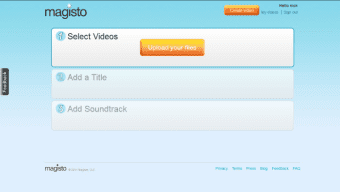
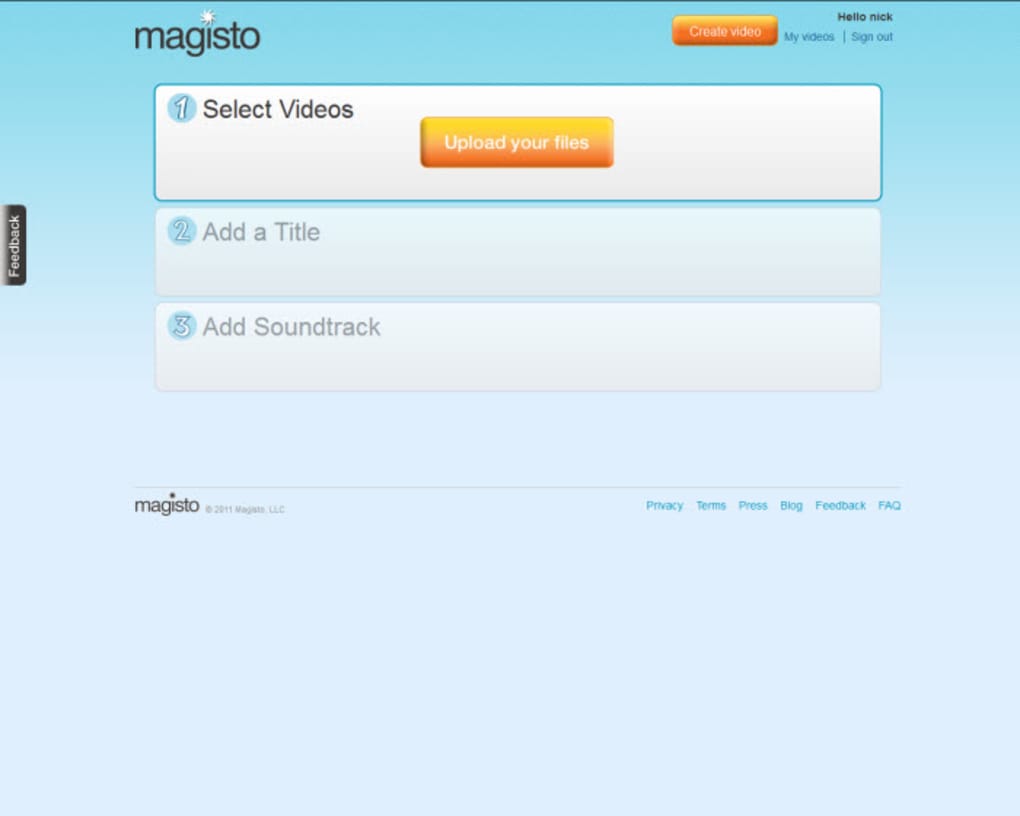
Tap the “Create New Video” button, then choose “Import Photos & Clips.” You can pull content directly from your device’s gallery, cloud storage services (Google Drive, Dropbox), or record new footage using the built‑in camera. Magisto automatically categorises the imported files by date and location, making it easy to locate the right moments.
Step 4 – Choose a Theme & Music
Select a visual theme that matches the mood of your project – options range from “Cinematic” to “Fun & Playful.” Next, browse the royalty‑free music library or tap “My Music” to add a personal track. The app will analyse the beat structure and suggest optimal cut points.
Step 5 – Let AI Edit, Then Fine‑Tune
Press “Create” and let the AI engine work its magic. Within a few seconds, a draft video appears. If you want to make adjustments, use the simple timeline editor to trim clips, rearrange scenes, or replace a track. You can also add text overlays, stickers, or corporate branding elements in just a few taps.
Step 6 – Export & Share
When you’re satisfied, choose the export resolution (720p for quick sharing, 1080p for high‑quality uploads) and click “Save.” The video is saved to your device’s gallery and can be posted directly to social networks via the integrated sharing buttons. Premium subscribers enjoy faster export speeds and the ability to download videos without a watermark.
Overall, the installation and usage flow is designed to be frictionless. Even users with no editing background can produce a professional‑looking music video in under ten minutes, while power users can dive deeper into customisation without leaving the app.
Compatibility, Pros, Cons & Pricing Overview
Magisto is compatible with the following operating systems: iOS 12 or later, Android 6.0 or later, Windows 10 or later, and macOS 10.13 or later. The cloud‑based architecture ensures that projects are accessible across all devices, and updates are delivered automatically through the respective app stores.
Pros
- Intuitive AI editing eliminates the steep learning curve of traditional video editors.
- Large royalty‑free music library and easy import from personal collections.
- Automatic stabilization and facial recognition improve video quality without manual effort.
- Business‑focused features such as logo placement, captioning, and brand‑consistent colour palettes.
- Cross‑platform sync lets you start a project on a phone and finish it on a desktop.
- Free tier available for casual creators; premium plans unlock HD export and watermark removal.
Cons
- Free version adds a small watermark to exported videos.
- Advanced customisation (e.g., multi‑track audio editing) is limited compared to desktop‑grade editors.
- AI decisions may not always match a user’s artistic vision, requiring manual tweaks.
- Subscription cost can be higher than some competing mobile editors for full‑feature access.
- Internet connection required for cloud processing and export.
Pricing Snapshot
Magisto offers three main plans:
- Free: Basic editing, limited templates, watermark on exports.
- Premium ($4.99/month): HD export, watermark removal, full music library, and priority support.
- Business ($19.99/month per user): Branded video tools, team collaboration, advanced analytics, and custom logo placement.
Overall Rating: 4.5 / 5
Pros: AI editing, music library, cross‑platform sync.
Cons: Watermark on free version, limited deep‑editing tools.
Frequently Asked Questions
Can I use Magisto on both Android and iOS devices?
Yes. Magisto is available for Android 6.0 or later and iOS 12 or later, with projects synced via the cloud so you can switch devices at any time.
Is there a limit to the length of videos I can create?
The free tier limits videos to 5 minutes, while Premium and Business plans allow up to 30 minutes of final footage.
Can I add my own branding to a video?
Yes. Business subscribers can upload logos, select brand colours, and add custom captions directly within the editor.
Do I need an internet connection to edit videos?
Basic editing can be done offline, but AI‑driven automatic editing, cloud sync, and exporting require an active internet connection.
How does Magisto handle copyrighted music?
The built‑in music library consists of royalty‑free tracks cleared for commercial use. When you import personal songs, you retain full responsibility for copyright compliance.
Final Verdict – Why You Should Download Magisto Today
Magisto bridges the gap between professional video production and everyday creativity. Its AI‑driven workflow eliminates tedious manual editing, while the extensive music library and branding tools empower both casual users and businesses to craft compelling visual stories. The cross‑platform support ensures that you can start a project on your phone during a family vacation and finish polishing it on a desktop later that night. Although the free version places a watermark on final exports, the low‑cost Premium plan removes it and unlocks full‑HD output—making Magisto an excellent value for anyone serious about sharing high‑quality music videos on social media.
If you’re looking for a secure, easy‑to‑use app that delivers professional results without a steep learning curve, Magisto is the answer. Download Magisto now to start turning your photos and clips into stunning music videos that capture memories and elevate your brand.



.png)



